Design
/
Vraj Patel

Last verified: November 23, 2026.
On April 21, 2026, Google for Developers introduced DESIGN.md as an open-source draft specification for giving coding agents a design system they can read. It puts exact design values and the reasons behind them in a file near the code. If your team asks an AI agent to build or revise interface screens, DESIGN.md can give it a clearer starting point than a short prompt.
The Verdict
Signal or hype: 4/5 signal. A portable file can make design decisions easier for coding agents to find, but the format is still alpha.
Who should care: Startup teams that use coding agents to build product or marketing pages and already have visual rules worth preserving.
What we'd do this week: Write down a few stable design decisions, then test whether an agent applies them to one real screen.
What is DESIGN.md?
DESIGN.md is a plain-text format that describes a visual system for coding agents. The Google Labs repository combines machine-readable tokens, usually written in YAML, with Markdown sections that explain how to use them.
A color token might name a brand’s deep green. A short explanation can add that the green belongs on primary actions, while a pale neutral is for long reading surfaces. The agent gets a value and a reason to apply it in the right place.
The official README lists colors, typography, spacing, rounded corners, motion and components as possible parts of the file. It also allows links to related component files, so the design system does not have to fit into one oversized document.
The format began in Google Stitch and became an open-source draft specification on April 21, 2026, according to Google for Developers. The repository still labels it alpha. The schema and tools may change, so treat it as a useful working format rather than a settled industry standard.
What should go in a DESIGN.md file?
A useful DESIGN.md records the rules an agent needs while changing an interface. It should offer enough context to support a design decision without documenting every screen in the product.
The official format separates a few kinds of information:
Tokens: named color, typography, spacing, radius and motion values that an agent can reuse.
Rationale: Markdown that explains the intent behind the system, such as where an accent belongs or what a component should communicate.
Components: properties for reusable elements, with links to source files when implementation needs more detail.
Constraints: areas that are not defined yet, or decisions an agent should leave to a person.
Start with choices that repeatedly drift. If pages use different button colors, document the button roles and link them to existing components. If the type scale is stable but the agent uses display type for body copy, explain where each style belongs. Add examples when a number alone cannot express the rule.
A short, accurate file is easier to keep current than a long guide copied from a template. The test is whether someone on the team can tell which decisions are settled and which still need a designer.
How does DESIGN.md work with AI coding agents?
An agent can use DESIGN.md when it reads project context before changing an interface. The file gives it named values and usage notes, while the codebase and component library show how the product is built.
Think of DESIGN.md as a handoff layer. It can carry decisions from design reviews into code changes. It does not replace a Figma library, a component system or the code that implements those components. If the team maintains those sources elsewhere, link them and say which one to trust when values conflict.
Give the agent one bounded task, such as updating a pricing card, and ask it to follow the documented component and typography rules. Review the rendered result against the design system. If it drifts, work out whether the file needs a clearer rule, the component needs a fix, or the task needs a tighter brief.
Instructions can help an agent choose the right tokens, but they cannot prevent every inconsistent choice. DESIGN.md works best when the system is already coherent and someone reviews the result.
A designer's teardown of the format
The design logic is strongest where DESIGN.md separates values from meaning. A named color token becomes more useful when the prose explains its role. A typography scale works better when it distinguishes a page title from a product label. That context helps preserve hierarchy as an interface changes.
The component section describes recurring patterns beyond palette and type. A button's background, text color, radius and padding can sit alongside its source component, giving an agent more to reuse than a screenshot or vague instruction.
The weak spot is enforcement. Google's README and CLI reference describe a linter that can catch structural issues, unresolved references and some color contrast problems. Those checks cannot tell you whether a page has the right emphasis, whether the writing fits the brand or whether an interaction is understandable. Passing a lint check is a start, then a person still needs to review the screen.
The alpha status matters too. Avoid making the whole delivery process depend on one undocumented behavior. Keep the design source of truth in the tools the team already uses, and treat DESIGN.md as a layer that helps agents work with it.
When should a startup create a DESIGN.md?
Create one when the same design decisions keep coming up in agent-assisted work and the team can name their source of truth. If the core identity is still changing every week, settle the choices you want an agent to follow first.
It is a good fit when:
Your agent builds or changes more than one page or component.
Your design tokens and component rules exist but are hard to bring into each coding task.
A designer or product owner can review generated screens and update rules when the system changes.
Wait if the project is a one-off prototype, no one owns the rules, or the file would only repeat a prompt. A short task brief and a review may be enough.
The file can also expose gaps in a young system. If nobody can agree on the button role, spacing scale or type hierarchy, writing it down reveals a decision the team still needs to make. DESIGN.md can help the people who own the system as much as the agent using it.
The SideFixers take
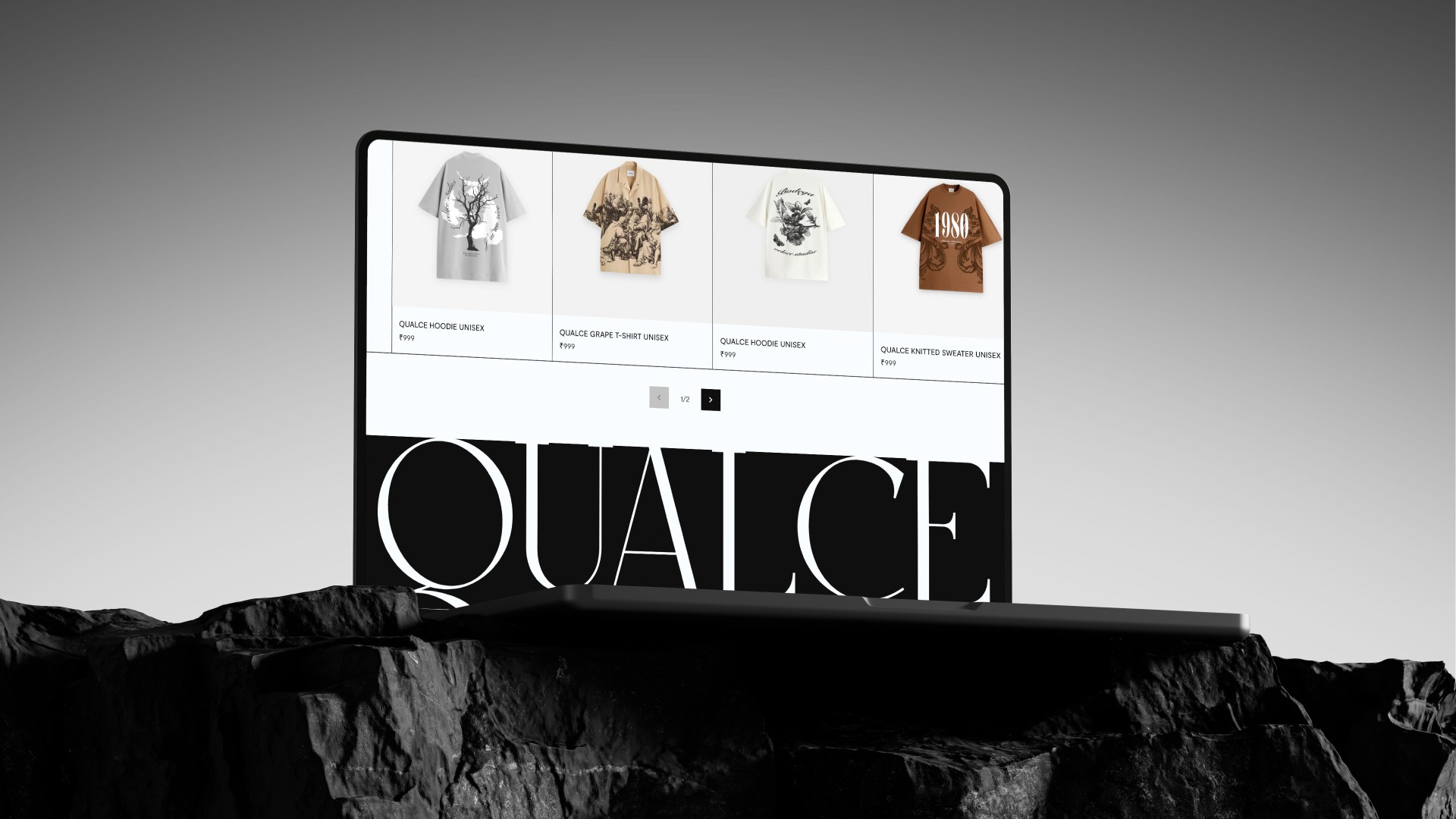
When Akansha Sharma and I worked on Qualce, we spent two weeks on typography before settling on Revine as the primary typeface and Metrisch as the secondary. We explored four color concepts before choosing black and white. Those choices shaped the brand; they were not decoration. The Qualce case study shows how much intent can sit behind a restrained visual system.
That is what I would preserve in DESIGN.md: the reason behind each font and color choice. If a startup has a real system, we would turn its stable decisions into tokens and plain-language rules, then test them on a screen. Our Falsch-Parker app design story shows another product where visual decisions shaped a working interface. Our product design and design systems work can help when that source of truth is still taking shape.
I would not ask a file to make design judgments for the team. A documented system gives an agent a better brief, while a designer still decides whether the result should ship.
Steal this
Use this outline for a first DESIGN.md. Replace each prompt with a real decision from your product, and leave out sections the team has not settled.
Overview: [Who the product serves] and [the feeling the interface should create].
Colors: [Token name and value], plus where it belongs and where it does not.
Typography: [Text style and font], plus the job it handles.
Layout: [Spacing and width rules] that keep pages readable.
Components: [Existing component name] and a link to its implementation or design source.
Do's and don'ts: [A common mistake] and [the better choice].
Review: Ask the agent to use the file on one screen, then compare its work with the source design system.
Keep the values close to the implementation and assign someone to review updates. If the file disagrees with the component library, fix the source of truth before asking an agent to guess.
DESIGN.md works best when it carries choices your team has already made; talk with SideFixers about your product design system if you need help turning those choices into a usable system.
FAQ
What is DESIGN.md?
DESIGN.md is an open-source draft format from Google Labs for describing a visual system to coding agents. It combines structured design tokens with written guidance on how to apply them.
Is DESIGN.md a replacement for Figma?
No. DESIGN.md can give an agent portable context, while Figma and your component library remain useful sources for visual exploration, handoff and implementation detail. Link to them where needed.
Can DESIGN.md make AI-generated UI consistent?
It can give an agent clearer design values and usage rules. It cannot guarantee a good result, so review the rendered screen and update the source rules when the system changes.
Is DESIGN.md a stable standard?
The official Google Labs repository labels the format alpha and says the specification and tools are under active development. Check the repository before building a workflow around its exact schema.
Written by Vraj Patel, founder of SideFixers, a design studio building brands, websites and digital products since 2022.