Apple Music's New Logo Was Made by Sound: What Designers Can Learn

Apple Music's New Logo Was Made by Sound: What Designers Can Learn

Apple Music's New Logo Was Made by Sound: What Designers Can Learn

Branding

/

Vraj Patel

Black-and-white close-up of glossy liquid waves rippling across a dark surface

Photo: Unsplash

Photo: Unsplash

Written by

Vraj Patel

Topic

Branding

On October 21, 2026, Apple unveiled the Apple Music new logo and a full identity built around one idea: "made by sound." The red is gone, the wordmark is heavier, and the mark itself was shaped by filming music as it rippled through a shallow bath of mineral oil. It is the service's first logo change in 11 years, and it has already split opinion.

Most coverage stops at what changed. This post looks at why Apple did it this way, and what founders and marketing leads can borrow without an Apple-sized budget.

Key takeaways

  • The new Apple Music logo pairs the Apple symbol with a bold, lowercase wordmark set in a customized SF Pro, in black and white.

  • The visuals were captured in camera. Notes from a composition by Fred again.. and NEST Acoustics vibrated a bath of mineral oil, and the ripples were filmed.

  • Dropping a signature color is a real risk. It works when something else carries recognition.

  • The making-of story does as much work as the logo, and smaller brands can use the same approach.

What changed in the Apple Music rebrand

Apple announced the identity on X as "physically shaped by an original composition," and its launch film says the logo was "captured entirely in camera." The work was made with agency TBWA\Media Arts Lab, musician Fred again.. and studio NEST Acoustics, according to Adweek.

  • Color: the red scheme is gone. The logo and icon are black and white, with color kept for motion pieces.

  • Wordmark: the lighter "Music" becomes a bold, lowercase "music" in a customized SF Pro.

  • App icon: the red gradient note becomes a simpler black-and-white design.

  • Sound: new. A short composition now doubles as a sonic signature.

MacRumors reported that Apple's website switched to the new look the same day, and that the icon rolls out with iOS 27.2 and macOS 27.2. None of this was a complete surprise. The wordmark appeared at Apple Music Hall in London in September and in iOS 27.2 betas in early October, so the launch confirmed what people had spotted weeks earlier.

How the new Apple Music logo was made

Creative Boom describes the process in detail. Fred again.. and NEST Acoustics wrote a short piece and broke it into individual notes. Each note ran through a transducer, a device that turns audio into vibration, which moved a shallow bath of mineral oil. Cameras filmed the ripples and the way light bent through them, and that footage became the raw material for the identity.

The team spent months experimenting, and not every note produced something usable. Wallpaper frames the result as sound turned into liquid. Apple has used this approach before: its 2025 Apple TV rebrand also relied on practical, in-camera effects.

The method fits the product, which is why it works. A music service whose logo was physically shaped by music has a story that explains itself in one sentence.

Why dropping the red is a bold call

Color is often the first thing people associate with a brand, and one of the hardest things to give up. When the black-and-white icon first leaked in beta, many users pushed back. Creative Bloq ran one piece calling the logo "miserable" and another arguing that it signals the end of minimalism. Even commenters who disliked the icon praised the film.

Apple can take this risk because recognition doesn't depend on the red. The Apple symbol carries most of it, and the new sonic signature adds another cue. Color hasn't disappeared, either. It has moved into motion, and the launch visuals are full of it.

For a smaller company, the lesson is not to drop your color. It is to understand what your brand actually depends on before you change it. Ask a handful of customers to describe your brand without looking at it. If color comes up first, keep it. If you do retire a signature element, introduce a replacement (a sound, a shape, a type style) at the same time, so people have something new to recognize. A neutral core mark with color living in campaigns, product UI or motion is a sensible pattern for many brands, and it is the one Apple has chosen here.

Process as story: why the making-of matters

The Apple Music rebrand was covered across tech, design and music press on launch day, and much of that coverage, from Creative Boom to Wallpaper, led with the mineral oil rather than the letterforms. The making-of film is effectively the launch campaign.

This is where startups can learn the most. A reveal that says "here's our new logo" gives people nothing to pass on. One that shows how and why it was made gives journalists, customers and your own team a story to retell.

You don't need cameras and a tank of oil to do this:

  • Show the sketches. Early concepts, rejected directions and the reasoning behind the final choice make strong launch content.

  • Tie the method to the product. Apple used sound for a music app. A fintech brand could build a pattern from real transaction data, and a fashion label could scan its own fabric.

  • Credit the people involved. Apple named the musician, the studio and the agency, and naming your designers and collaborators adds the same credibility.

  • Publish the story on your own site first, so the coverage and backlinks point to you.

What a startup can borrow without Apple's budget

  1. Start with one idea. "Made by sound" is three words. Write yours before anyone opens a design tool.

  2. Design a system, not just a mark. Apple shipped a wordmark, icon, motion language and sound together. Even a small brand should launch with type, color and usage rules rather than a lone logo file.

  3. Plan the rollout. Apple's identity appeared at a venue, then in betas, then everywhere. Stage yours across website, product, social and sales materials so nothing still shows the old brand.

  4. Give it time. Early reaction to a rebrand is often negative, as Apple's was. Judge yours after people have lived with it for a few months, not in the first 48 hours.

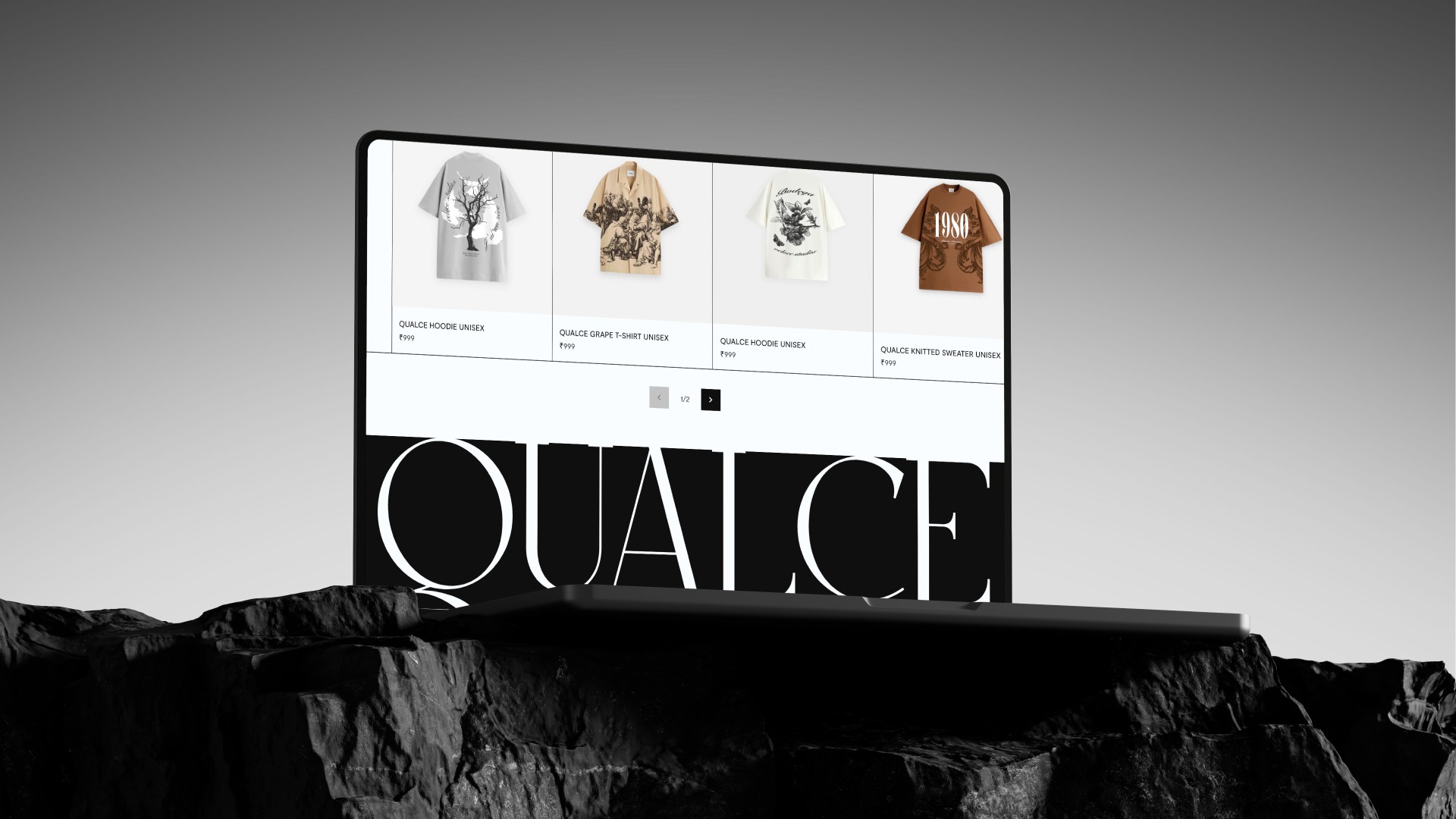
We work the same way on our own branding projects. For Qualce, a luxury knitwear label, we designed the identity and the ecommerce site together so the brand held up across every touchpoint. If you're weighing a refresh, our branding and design services cover the full system, and our post on designing eco-friendly brand identities goes further into building an identity around a clear idea.

Is the Apple Music new logo a success?

It is too early to judge. The logo divides opinion, while the process behind it is widely admired. What Apple has built is a system with a story attached, and identities built that way tend to have a longer life than a straight logo swap.

If you're planning a rebrand, start with the idea and the story, then design the mark. Talk to us if you'd like help with yours.

FAQ

What is the new Apple Music logo?

It is the Apple symbol paired with a bold, lowercase "music" wordmark set in a customized version of SF Pro, shown in black and white. Apple unveiled it on October 21, 2026.

Why did Apple Music change its logo?

Apple built the new identity around the idea "made by sound," using a composition by Fred again.. and NEST Acoustics to physically shape the visuals. The result ties the brand directly to music.

Why is the new Apple Music logo black and white?

Apple dropped the red scheme for a black-and-white logo and icon, and kept color for its launch animations. Apple hasn't said whether color will return to the icon.

When does the new Apple Music icon roll out?

It arrives with iOS 27.2 and macOS 27.2. Apple's website switched to the new branding on launch day.

Written by Vraj Patel, founder of SideFixers, a design studio building brands, websites and digital products since 2022.
Technologies We Use:

Let’s talk with us

Contact SideFixers today, and let's start the conversation about transforming your ideas into extraordinary digital experiences.

Dribbble

Twitter

Behance

Social Media

Site designed and built by SideFixers.

Copyright © 2026 SideFixers. All rights reserved.

Technologies We Use:

Let’s talk with us

Contact SideFixers today, and let's start the conversation about transforming your ideas into extraordinary digital experiences.

Dribbble

Twitter

Behance

Social Media

Site designed and built by SideFixers.

Copyright © 2026 SideFixers. All rights reserved.

Technologies We Use:
Let’s talk with us

Contact SideFixers today, and let's start the conversation about transforming your ideas into extraordinary digital experiences.

Dribbble

Twitter

Behance

Social Media

Site designed and built by SideFixers.

Copyright © 2026 SideFixers. All rights reserved.

What’s next?

Branding

/

Vraj Patel

In today’s world, sustainability is more than just a trend—it's a movement that's reshaping industries and consumer behavior alike. As environmental awareness continues to grow, companies are increasingly seeking ways to align their brand identities with eco-friendly values. This shift has given rise to "green branding," where businesses design their brand identities to reflect a commitment to sustainability. But how can companies create a brand that truly resonates with eco-conscious consumers? Let’s dive into the essentials of green branding and explore how to design an eco-friendly brand identity that stands out.

Understanding Green Branding

Green branding is the practice of creating a brand identity that emphasizes sustainability, ethical practices, and environmental responsibility. It goes beyond using green colors or nature-inspired imagery—it's about integrating sustainability into the core values and operations of a company. Green branding communicates a company’s commitment to the planet, making it a key differentiator in a market where consumers are increasingly looking for brands that align with their values.

Key Elements of Eco-Friendly Brand Identities

1. Visual Identity

The visual aspects of a brand, including the logo, color palette, and packaging, play a significant role in conveying eco-friendliness. Colors like green, earthy tones, and natural textures can evoke a sense of nature and sustainability. However, it’s crucial to ensure that these elements are more than just superficial. For instance, using sustainable materials for packaging or creating a logo that symbolizes environmental consciousness can reinforce a brand’s green commitment.

2. Brand Messaging

Authenticity is at the heart of green branding. Consumers are quick to spot greenwashing—where a company falsely claims to be environmentally friendly—so it’s important that brand messaging is transparent and genuine. Brands should communicate their sustainability initiatives, ethical sourcing, and environmental impact in a clear and honest way. This can be done through storytelling, where the brand shares its journey towards becoming more sustainable, highlighting both achievements and challenges.

3. Sustainability Certifications and Symbols

Incorporating recognized sustainability certifications into the brand identity adds credibility. Certifications like Fair Trade, USDA Organic, or Carbon Neutral signal to consumers that the brand’s eco-friendly claims are backed by third-party verification. These symbols can be prominently featured on packaging, in marketing materials, and on the brand’s website to build trust and reinforce the company’s commitment to sustainability.

Case Studies: Brands Doing Green Right

Let’s look at a few brands that have successfully embraced green branding:

  • Patagonia: Known for its commitment to environmental activism, Patagonia’s brand identity is deeply rooted in sustainability. From using recycled materials in their products to pledging 1% of sales to environmental causes, Patagonia has built a brand that not only promotes sustainability but actively engages in it.

  • Seventh Generation: This household product company has made sustainability its core mission. Their branding focuses on transparency, from the ingredients in their products to their commitment to plant-based and biodegradable materials. The company’s name itself is a nod to the Iroquois philosophy of considering the impact of decisions on the next seven generations.

Challenges in Green Branding

Green branding isn’t without its challenges. One of the most significant risks is greenwashing, where a brand exaggerates or fabricates its environmental efforts. This can lead to a loss of consumer trust and can be difficult to recover from. Additionally, sourcing sustainable materials can be more costly and logistically complex, which can pose challenges for companies looking to scale their eco-friendly efforts.

Steps to Create an Eco-Friendly Brand Identity

1. Conduct a Sustainability Audit

Start by evaluating your company’s current environmental impact. Identify areas where you can improve, whether it's reducing waste, sourcing sustainable materials, or improving energy efficiency.

2. Engage Stakeholders

Involve employees, customers, and suppliers in your green branding efforts. Their insights and support can help ensure that your sustainability initiatives are authentic and impactful.

3. Design with Sustainability in Mind

When developing your brand’s visual identity, consider the environmental impact of your design choices. Use recycled materials for packaging, opt for eco-friendly inks, and explore ways to minimize waste in your production process.

The Future of Green Branding

As technology advances, new opportunities for green branding are emerging. For example, blockchain technology can be used to enhance supply chain transparency, allowing consumers to trace the journey of a product from raw materials to finished goods. Additionally, as more consumers prioritize sustainability, we can expect to see a continued shift towards brands that not only talk the talk but walk the walk when it comes to environmental responsibility.

Conclusion

Green branding is more than just a marketing strategy—it’s a commitment to creating a better future for the planet. By designing eco-friendly brand identities, companies can connect with consumers on a deeper level, building trust and loyalty. As the demand for sustainable products continues to rise, now is the perfect time for brands to embrace green branding and make a meaningful impact on the world.

Branding

/

Vraj Patel

In today’s world, sustainability is more than just a trend—it's a movement that's reshaping industries and consumer behavior alike. As environmental awareness continues to grow, companies are increasingly seeking ways to align their brand identities with eco-friendly values. This shift has given rise to "green branding," where businesses design their brand identities to reflect a commitment to sustainability. But how can companies create a brand that truly resonates with eco-conscious consumers? Let’s dive into the essentials of green branding and explore how to design an eco-friendly brand identity that stands out.

Understanding Green Branding

Green branding is the practice of creating a brand identity that emphasizes sustainability, ethical practices, and environmental responsibility. It goes beyond using green colors or nature-inspired imagery—it's about integrating sustainability into the core values and operations of a company. Green branding communicates a company’s commitment to the planet, making it a key differentiator in a market where consumers are increasingly looking for brands that align with their values.

Key Elements of Eco-Friendly Brand Identities

1. Visual Identity

The visual aspects of a brand, including the logo, color palette, and packaging, play a significant role in conveying eco-friendliness. Colors like green, earthy tones, and natural textures can evoke a sense of nature and sustainability. However, it’s crucial to ensure that these elements are more than just superficial. For instance, using sustainable materials for packaging or creating a logo that symbolizes environmental consciousness can reinforce a brand’s green commitment.

2. Brand Messaging

Authenticity is at the heart of green branding. Consumers are quick to spot greenwashing—where a company falsely claims to be environmentally friendly—so it’s important that brand messaging is transparent and genuine. Brands should communicate their sustainability initiatives, ethical sourcing, and environmental impact in a clear and honest way. This can be done through storytelling, where the brand shares its journey towards becoming more sustainable, highlighting both achievements and challenges.

3. Sustainability Certifications and Symbols

Incorporating recognized sustainability certifications into the brand identity adds credibility. Certifications like Fair Trade, USDA Organic, or Carbon Neutral signal to consumers that the brand’s eco-friendly claims are backed by third-party verification. These symbols can be prominently featured on packaging, in marketing materials, and on the brand’s website to build trust and reinforce the company’s commitment to sustainability.

Case Studies: Brands Doing Green Right

Let’s look at a few brands that have successfully embraced green branding:

  • Patagonia: Known for its commitment to environmental activism, Patagonia’s brand identity is deeply rooted in sustainability. From using recycled materials in their products to pledging 1% of sales to environmental causes, Patagonia has built a brand that not only promotes sustainability but actively engages in it.

  • Seventh Generation: This household product company has made sustainability its core mission. Their branding focuses on transparency, from the ingredients in their products to their commitment to plant-based and biodegradable materials. The company’s name itself is a nod to the Iroquois philosophy of considering the impact of decisions on the next seven generations.

Challenges in Green Branding

Green branding isn’t without its challenges. One of the most significant risks is greenwashing, where a brand exaggerates or fabricates its environmental efforts. This can lead to a loss of consumer trust and can be difficult to recover from. Additionally, sourcing sustainable materials can be more costly and logistically complex, which can pose challenges for companies looking to scale their eco-friendly efforts.

Steps to Create an Eco-Friendly Brand Identity

1. Conduct a Sustainability Audit

Start by evaluating your company’s current environmental impact. Identify areas where you can improve, whether it's reducing waste, sourcing sustainable materials, or improving energy efficiency.

2. Engage Stakeholders

Involve employees, customers, and suppliers in your green branding efforts. Their insights and support can help ensure that your sustainability initiatives are authentic and impactful.

3. Design with Sustainability in Mind

When developing your brand’s visual identity, consider the environmental impact of your design choices. Use recycled materials for packaging, opt for eco-friendly inks, and explore ways to minimize waste in your production process.

The Future of Green Branding

As technology advances, new opportunities for green branding are emerging. For example, blockchain technology can be used to enhance supply chain transparency, allowing consumers to trace the journey of a product from raw materials to finished goods. Additionally, as more consumers prioritize sustainability, we can expect to see a continued shift towards brands that not only talk the talk but walk the walk when it comes to environmental responsibility.

Conclusion

Green branding is more than just a marketing strategy—it’s a commitment to creating a better future for the planet. By designing eco-friendly brand identities, companies can connect with consumers on a deeper level, building trust and loyalty. As the demand for sustainable products continues to rise, now is the perfect time for brands to embrace green branding and make a meaningful impact on the world.

Development

/

Vraj Patel

In today's fast-paced digital world, building a professional website no longer requires deep technical knowledge. Thanks to no-code website builders, anyone can create beautiful, functional websites in a matter of hours. Whether you're a freelancer, a small business owner, or a startup, these platforms offer a wide range of tools to help you get online quickly and easily. Here are the top 10 no-code website builders to consider in September 2024.

1. Framer

Framer continues to shine as one of the most robust no-code website builders, particularly for designers who want pixel-perfect control over their websites. Originally a prototyping tool, Framer has evolved into a full-fledged website builder with smooth animations, interactive components, and seamless collaboration features.

Free Plan: Build up to 3 websites with 1,000 visitors per month.

Paid Plans: The Mini plan starts at $5/month, offering a custom domain and the same visitor limit. For higher traffic and features like CMS collections and code embeds, plans such as Basic ($15/month) and Pro ($30/month) are available.

Why Choose Framer?

Framer’s combination of design-focused too and advanced interactivity makes it ideal for designers who want to focus on the details. If you're familiar with Figma, you'll find Framer's environment intuitive and powerful.

2. Webflow

Webflow offers the flexibility of a traditional development environment with the simplicity of a visual builder. It allows users to build custom websites without touching a single line of code, but it also provides an open door to custom coding for those who want to fine-tune their designs.

Free Plan: Start with up to two projects, but with Webflow branding.

Paid Plans: Pricing starts at $14/month for the Basic plan, which includes a custom domain. More advanced plans like CMS ($23/month) offer dynamic content capabilities, making it suitable for blogs, portfolios, and content-rich websites.

Why Choose Webflow?

Webflow is perfect for designers and agencies that need more advanced features, particularly around content management and responsive design. It’s also ideal for those who want to take advantage of custom code later down the line.

3. Wix Studio

Wix Studio offers everything users love about Wix, but with additional design freedom and control over layouts. This tool is great for those who appreciate Wix’s ease of use but require more flexibility when creating complex websites.

Free Plan: Comes with Wix branding and subdomains.

Paid Plans: Start at $16/month, which includes a custom domain and more storage space. Business and e-commerce plans start at $27/month, ideal for companies needing a robust online store .

Why Choose Wix Studio?

Wix Studio offers an intuitive user experience while also providing the ability to create highly customized sites. It's an excellent balance between ease of use and design freedom.

4. Squarespace

Squarespace remains one of the most popular website builders due to its sleek templates and comprehensive set of features. It’s especially well-suited for creatives looking to showcase portfolios or for small businesses in need of e-commerce features.

Free Plan: Not available, but you can try Squarespace with a 14-day free trial.

Paid Plans: Start at $16/month for personal sites, with higher plans (starting at $23/month) offering advanced e-commerce capabilities .

Why Choose Squarespace?

Squarespace excels in aesthetic appeal, making it the platform of choice for designers, photographers, and creative professionals. Its templates are some of the most beautifully designed in the market, and the platform also provides strong blogging tools.

5. Editor X

From the makers of Wix, Editor X offers the next level of website creation for designers and agencies. With full CSS grid layout control and advanced responsiveness, it's designed for creating intricate, pixel-perfect websites without the hassle of manual coding.

Free Plan: Build sites with Editor X branding and a Wix subdomain.

Paid Plans: Start at $22/month, including custom domains, expanded bandwidth, and increased storage .

Why Choose Editor X?

For users who want total design control, especially regarding responsiveness and layout precision, Editor X is the top choice. Its powerful tools and flexibility make it ideal for design agencies and developers who need high-level customization.

6. Carrd

Carrd is known for its simplicity and is one of the most cost-effective solutions for creating single-page websites. Ideal for landing pages, portfolios, and online resumes, Carrd’s intuitive interface and minimalistic approach make website building fast and easy.

Free Plan: Build up to three one-page sites with Carrd branding.

Paid Plans: Start at $9/year for custom domains and additional features like form integrations .

Why Choose Carrd?

If you need to build a simple, one-page site quickly and affordably, Carrd is the perfect solution. It’s also an excellent option for portfolios, landing pages, or simple product pages.

7. Bubble

Bubble stands out as one of the most powerful no-code platforms, particularly for building complex, dynamic web apps without coding. Whether you're developing a SaaS product, marketplace, or social network, Bubble provides the tools to handle it.

  • Free Plan: Allows building web apps with limited functionality and Bubble branding.

  • Paid Plans: Start at $29/month, unlocking custom domains and more advanced app features .

Why Choose Bubble?

For users building dynamic, interactive web applications with heavy functionality—like databases, user accounts, and integrations—Bubble is the clear winner. Its flexibility allows for creating virtually any kind of web app without needing technical expertise.

8. Weebly

Weebly, now part of the Square ecosystem, is an easy-to-use builder particularly suited for small businesses looking to combine website creation with simple e-commerce options. It’s intuitive and offers seamless integration with Square’s payment system.

  • Free Plan: Build websites with Weebly branding and subdomains.

  • Paid Plans: Start at $12/month for custom domains and expanded storage .

Why Choose Weebly?

For small businesses needing a simple and affordable solution that integrates with Square for payments, Weebly is an ideal choice. It's user-friendly and great for beginners.

9. Tilda

Tilda is a builder focused on storytelling and content-driven websites. It offers a modular block system, allowing you to create long-form content with ease. It's popular with designers and marketers looking to combine beautiful visuals with informative content.

  • Free Plan: Build one website with Tilda branding.

  • Paid Plans: Start at $15/month for custom domains and advanced features like more storage and page analytics .

Why Choose Tilda?

Tilda is the best platform for users who need to create long-form, storytelling websites, such as blogs, portfolios, or educational sites. Its simple yet effective tools allow for creating engaging and interactive pages.

10. Zyro

Zyro is a budget-friendly option for individuals and small businesses looking to build websites quickly. With AI-driven tools that assist in content creation and design, Zyro simplifies the process without sacrificing quality.

  • Free Plan: Includes Zyro branding and a subdomain.

  • Paid Plans: Start at $2.90/month, making it one of the most affordable platforms on the list .

Why Choose Zyro?

For users on a tight budget or those looking to get a site up fast, Zyro offers a streamlined, cost-effective solution. It’s a great option for beginners looking for an easy-to-use platform that doesn’t compromise on features.

Conclusion

Every no-code website builder on this list offers a free plan, allowing you to test their tools before committing to a paid subscription. Each platform caters to different needs, from simple portfolios to complex web apps, so be sure to choose one that fits your vision and goals. Paid plans start as low as $2.90/month, offering more advanced features like custom domains, increased storage, and dynamic content.

Pick the right tool, and start building your online presence today!

Development

/

Vraj Patel

In today's fast-paced digital world, building a professional website no longer requires deep technical knowledge. Thanks to no-code website builders, anyone can create beautiful, functional websites in a matter of hours. Whether you're a freelancer, a small business owner, or a startup, these platforms offer a wide range of tools to help you get online quickly and easily. Here are the top 10 no-code website builders to consider in September 2024.

1. Framer

Framer continues to shine as one of the most robust no-code website builders, particularly for designers who want pixel-perfect control over their websites. Originally a prototyping tool, Framer has evolved into a full-fledged website builder with smooth animations, interactive components, and seamless collaboration features.

Free Plan: Build up to 3 websites with 1,000 visitors per month.

Paid Plans: The Mini plan starts at $5/month, offering a custom domain and the same visitor limit. For higher traffic and features like CMS collections and code embeds, plans such as Basic ($15/month) and Pro ($30/month) are available.

Why Choose Framer?

Framer’s combination of design-focused too and advanced interactivity makes it ideal for designers who want to focus on the details. If you're familiar with Figma, you'll find Framer's environment intuitive and powerful.

2. Webflow

Webflow offers the flexibility of a traditional development environment with the simplicity of a visual builder. It allows users to build custom websites without touching a single line of code, but it also provides an open door to custom coding for those who want to fine-tune their designs.

Free Plan: Start with up to two projects, but with Webflow branding.

Paid Plans: Pricing starts at $14/month for the Basic plan, which includes a custom domain. More advanced plans like CMS ($23/month) offer dynamic content capabilities, making it suitable for blogs, portfolios, and content-rich websites.

Why Choose Webflow?

Webflow is perfect for designers and agencies that need more advanced features, particularly around content management and responsive design. It’s also ideal for those who want to take advantage of custom code later down the line.

3. Wix Studio

Wix Studio offers everything users love about Wix, but with additional design freedom and control over layouts. This tool is great for those who appreciate Wix’s ease of use but require more flexibility when creating complex websites.

Free Plan: Comes with Wix branding and subdomains.

Paid Plans: Start at $16/month, which includes a custom domain and more storage space. Business and e-commerce plans start at $27/month, ideal for companies needing a robust online store .

Why Choose Wix Studio?

Wix Studio offers an intuitive user experience while also providing the ability to create highly customized sites. It's an excellent balance between ease of use and design freedom.

4. Squarespace

Squarespace remains one of the most popular website builders due to its sleek templates and comprehensive set of features. It’s especially well-suited for creatives looking to showcase portfolios or for small businesses in need of e-commerce features.

Free Plan: Not available, but you can try Squarespace with a 14-day free trial.

Paid Plans: Start at $16/month for personal sites, with higher plans (starting at $23/month) offering advanced e-commerce capabilities .

Why Choose Squarespace?

Squarespace excels in aesthetic appeal, making it the platform of choice for designers, photographers, and creative professionals. Its templates are some of the most beautifully designed in the market, and the platform also provides strong blogging tools.

5. Editor X

From the makers of Wix, Editor X offers the next level of website creation for designers and agencies. With full CSS grid layout control and advanced responsiveness, it's designed for creating intricate, pixel-perfect websites without the hassle of manual coding.

Free Plan: Build sites with Editor X branding and a Wix subdomain.

Paid Plans: Start at $22/month, including custom domains, expanded bandwidth, and increased storage .

Why Choose Editor X?

For users who want total design control, especially regarding responsiveness and layout precision, Editor X is the top choice. Its powerful tools and flexibility make it ideal for design agencies and developers who need high-level customization.

6. Carrd

Carrd is known for its simplicity and is one of the most cost-effective solutions for creating single-page websites. Ideal for landing pages, portfolios, and online resumes, Carrd’s intuitive interface and minimalistic approach make website building fast and easy.

Free Plan: Build up to three one-page sites with Carrd branding.

Paid Plans: Start at $9/year for custom domains and additional features like form integrations .

Why Choose Carrd?

If you need to build a simple, one-page site quickly and affordably, Carrd is the perfect solution. It’s also an excellent option for portfolios, landing pages, or simple product pages.

7. Bubble

Bubble stands out as one of the most powerful no-code platforms, particularly for building complex, dynamic web apps without coding. Whether you're developing a SaaS product, marketplace, or social network, Bubble provides the tools to handle it.

  • Free Plan: Allows building web apps with limited functionality and Bubble branding.

  • Paid Plans: Start at $29/month, unlocking custom domains and more advanced app features .

Why Choose Bubble?

For users building dynamic, interactive web applications with heavy functionality—like databases, user accounts, and integrations—Bubble is the clear winner. Its flexibility allows for creating virtually any kind of web app without needing technical expertise.

8. Weebly

Weebly, now part of the Square ecosystem, is an easy-to-use builder particularly suited for small businesses looking to combine website creation with simple e-commerce options. It’s intuitive and offers seamless integration with Square’s payment system.

  • Free Plan: Build websites with Weebly branding and subdomains.

  • Paid Plans: Start at $12/month for custom domains and expanded storage .

Why Choose Weebly?

For small businesses needing a simple and affordable solution that integrates with Square for payments, Weebly is an ideal choice. It's user-friendly and great for beginners.

9. Tilda

Tilda is a builder focused on storytelling and content-driven websites. It offers a modular block system, allowing you to create long-form content with ease. It's popular with designers and marketers looking to combine beautiful visuals with informative content.

  • Free Plan: Build one website with Tilda branding.

  • Paid Plans: Start at $15/month for custom domains and advanced features like more storage and page analytics .

Why Choose Tilda?

Tilda is the best platform for users who need to create long-form, storytelling websites, such as blogs, portfolios, or educational sites. Its simple yet effective tools allow for creating engaging and interactive pages.

10. Zyro

Zyro is a budget-friendly option for individuals and small businesses looking to build websites quickly. With AI-driven tools that assist in content creation and design, Zyro simplifies the process without sacrificing quality.

  • Free Plan: Includes Zyro branding and a subdomain.

  • Paid Plans: Start at $2.90/month, making it one of the most affordable platforms on the list .

Why Choose Zyro?

For users on a tight budget or those looking to get a site up fast, Zyro offers a streamlined, cost-effective solution. It’s a great option for beginners looking for an easy-to-use platform that doesn’t compromise on features.

Conclusion

Every no-code website builder on this list offers a free plan, allowing you to test their tools before committing to a paid subscription. Each platform caters to different needs, from simple portfolios to complex web apps, so be sure to choose one that fits your vision and goals. Paid plans start as low as $2.90/month, offering more advanced features like custom domains, increased storage, and dynamic content.

Pick the right tool, and start building your online presence today!